Showing posts with label Firefox. Show all posts

Tuesday, June 17, 2008

Go Get Firefox 3!


After some hiccups and a late start, Firefox 3 has officially been released into the wild. As a matter of fact this is my first post written in FF3, so go help Mozilla and go download Firefox.

With too many new features to list go check out Mozilla's info page: Mozilla


mail

Friday, May 30, 2008

Help Firefox Set A Guiness World Record.

Download Day 2008


Coming sometime in June the Mozilla Foundation will release Firefox 3.0 and they're asking for your help in making it the most downloaded piece of software ever in one day. So come on you know you want to support the best browser out there.

Stop being a conformist and stop using Internet Exploder Explorer already. Why not download Firefox 2.0 while you wait for Firefox 3.0?


mail

Tuesday, May 06, 2008

Nerd Porn.


And I thought my iPhone was the end-all be-all device. How about this monster: PSP/iPhone/camera/Uber device. With GPS, Firefox, Windows Media Center, Doom, and Skype what else could you need?


mail

Friday, February 22, 2008

Firefox Reaches 500 Millions Downloads.


Well a true congratulations is in order for the Mozilla team for all their amazing work that they have put into Firefox over the past 3 or 4 years.


You should all be using Firefox by now, I talked about it on podcast's, wrote about it, here, and here, and even installed it secretly on most of your machines...


On top of having over 500 millions downloads now, Firefox is slowing knocking Internet Explorer off it's thrown and gained 17% market share in the browser wars. When just four years ago, Microsoft's Internet Explorer held a death-griping 91% of browser activity on the web.


But now that more people are realizing that they even have a choice in browsers, they are switching over to Firefox. Kind of like how everyone is switching over to Mac's. Interesting...


mail

Saturday, January 26, 2008

Getting More Official.


You can now point your browser of choice (use Firefox for your Father sake, I've given you enough reasons) straight to www.adidat.net to get all of your favorite tech/gaming news. Like I said I've got much more in store for the site, I just need someone that's web savy enough to help. The web's not really my thing, but if you have a hardware/software problem with your computer I'm your man.


www.stlcomputerhelp.com


mail


Friday, October 12, 2007

Firefox Extensions: An Update.


Update: Almost a year later I've decided to go back and look at my Firefox extensions post. This is the page that I use the most on my blog, with the frequency that I am formating computers for people (or myself), or just cleaning them up and updating them I am always installing Firefox. This post has become an invaluable resource to me as I can just go to this post and find all the extensions I need without having to search for them all.


I've updated the extensions list and thought you guys might be interested in the changes. Let me know if there are any extensions you would like to see on the list.


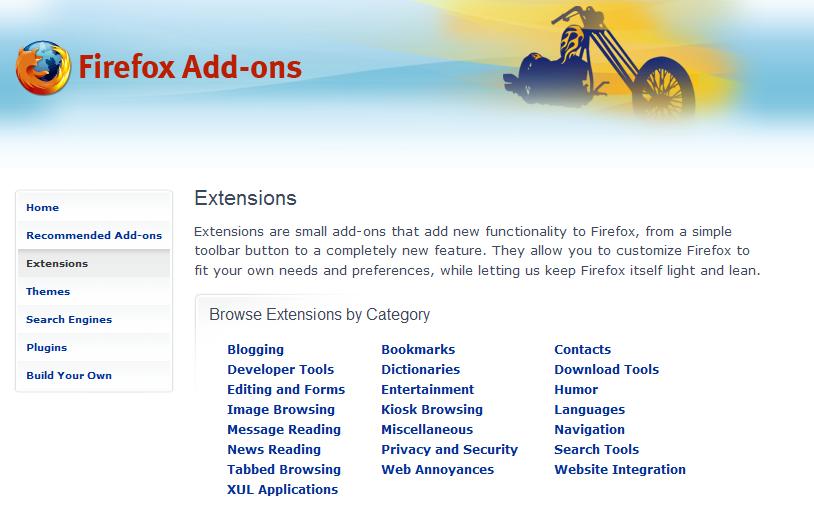
To people that are new to Firefox, extension are one of the things that makes it so great. Extensions let you basically do whatever you want with your browser, Firefox being open-source means that everyone has access to the source code and anyone could make an extension. With this being the case there are very few if any extension that come directly from Mozilla. The extensions all come from the community, and they are all made to make you web browsing experience better. I have compiled a list of all the extensions that I use so maybe you guys will find some useful ones.

  • Adblock Plus - This virtually block every ad on every page. This is the main extension I couldn't live without, it amazes me how many ads are on most pages. When I am at work (and forced to use Internet Explorer) I surf the same pages and I see them littered with ads and pop-ups.
  • Adblock Filterset G - This goes with adblock plus and all it does it keep an up to date block list, so when new ads come out they are all ready blocked!
  • Foxmarks - This one is great for me, with as many different computers that I use, and with how many time I install and re-install Firefox, this keeps my bookmarks synchronized between all my computers.
  • IE Tab - There are still pages out there that only work in Internet Explorer, this puts a button in the bottom right corner of Firefox and lets you switch between IE and Firefox.
  • Mouse Gestures - This is another great extension, when you right-click and hold it turns your mouse into a paint brush. If you draw a stroke from right to left it goes back a page, left to right, forward. It's a huge time saver for lazy people like me so you don't have to go "all the way" up to your back and forward buttons at the top of the browser.
  • Tab Mix Plus - Firefox 2.0 has nearly made this useless (by including them into the browser) with the exception of one must have feature: Undo closed tab. So if you accidentally close a tab, you can now just right click anywhere inside Firefox and select "Undo Closed Tab" and bam its back! And not just one tab if you close 5 you can restore them all.
  • Colorful Tabs - This extension is just a ascetic change, but a nice one. It make all your tabs a new color instead of them all just being gray, useful for differentiating them.
  • CustomizeGoogle - This is a great extension for anyone that using the Google suit of products: Gmail, Google Maps, Google Docs, Google Search, Google Calendar, etc... There is specific setting for each service but one that transends all of them is switching to a secure server, meaning that you will always be logged in over https:// instead of http://.
  • Outlook Blue - This is a theme for Firefox, one of the cool things you can do is change the "look" of Firefox. From just the color to the buttons, and even the size and shape of the browser. This one is my favorite as it tends to blend-in with Windows XP very well, although there are some great Mac ones out there as well.

Tuesday, April 10, 2007

Firefox Debit Card = Cool.


Show everyone what browser you use with this bad ass Firefox card! The only problem is you have to bank in Estonia... But the bank there let's you put any image on you card, how cool is that.

(Via: Digg)

Monday, December 18, 2006

Protect Yourself.


Come on, friends don't let friends use Internet Explorer... To learn all about Firefox, listen to episode #2 of Tech Tuesday, or read my past posts of Firefox.

Sunday, December 17, 2006

Make Firefox (Way) Faster!

This is a great easy trick, and I gotta say it works great! Give it a try and let me know if you have great results like I did.

Tuesday, November 21, 2006

Tech Tuesday Episode #2


Hey guys show #2 is hot off the presses here. This episode is all about Firefox, we cover security, features, and open-sourceness... OK, that's not a word but it works. Listen for all the details.


As always listen to the entire show at: All Games Radio


Again, there is always iTunes.

Thanks for listening.

Wednesday, October 25, 2006

Extensions: Making Firefox You Own.


To people that are new to Firefox, extension are one of the things that makes it so great. Extensions let you basically do whatever you want with your browser, Firefox being open-source means that everyone has access to the source code and anyone could make an extension. With this being the case there are very few if any extension that come directly from Mozilla. The extensions all come from the community, and they are all made to make you web browsing experience better. I have compiled a list of all the extensions that I use so maybe you guys will find some useful ones.

  • Adblock Plus - This virtually block every ad on every page. This is the main extension I couldn't live without, it amazes me how many ads are on most pages. When I am at work (and forced to use Internet Explorer) I surf the same pages and I see them littered with ads and pop-ups.
  • Adblock Filterset G - This goes with adblock plus and all it does it keep an up to date block list, so when new ads come out they are all ready blocked!
  • Foxmarks - This one is great for me, with as many different computers that I use, and with how many time I install and re-install Firefox, this keeps my bookmarks synchronized between all my computers.
  • IE Tab - There are still pages out there that only work in Internet Explorer, this puts a button in the bottom right corner of Firefox and lets you switch between IE and Firefox.
  • Mouse Gestures - This is another great extension, when you right-click and hold it turns your mouse into a paint brush. If you draw a stroke from right to left it goes back a page, left to right, forward. It's a huge time saver for lazy people like me so you don't have to go "all the way" up to your back and forward buttons at the top of the browser.
  • Tab Mix Plus - Firefox 2.0 has nearly made this useless (by including them into the browser) with the exception of one must have feature: Undo closed tab. So if you accidentally close a tab, you can now just right click anywhere inside Firefox and select "Undo Closed Tab" and bam its back! And not just one tab if you close 5 you can restore them all.
  • Colorful Tabs - This extension is just a ascetic change, but a nice one. It make all your tabs a new color instead of them all just being gray, useful for differentiating them.
  • CustomizeGoogle - This is a great extension for anyone that using the Google suit of products: Gmail, Google Maps, Google Docs, Google Search, Google Calendar, etc... There is specific setting for each service but one that transends all of them is switching to a secure service, meaning that you will always be logged in over a secure server (https:// instead of http://).
  • Outlook Blue - This is a theme for Firefox, one of the cool things you can do is change the "look" of Firefox. From just the color to the buttons, and even the size and shape of the browser. This one is my favorite as it tends to blend-in with Windows XP very well, although there are some great Mac ones out there as well.

Tuesday, October 24, 2006

Mozilla Releases Firefox 2.0!


After a few Release Candidates Mozilla has now released Firefox 2.0 to the world. I strongly recommend that anyone everyone using Firefox upgrade to as soon as possible. A few notable upgrades are:
  • Spell Checker - Now Firefox checks your spelling for you! As you type and it notices a spelling error Firefox underlines the error in red and if you right click on it gives you a choice of correct spellings or to add it to the dictionary if it's a custom word like, leet, n00b, or even gasp jayman.
  • Phishing - Firefox now checks the website you're on to make sure it's not a phishing site.
  • (Next bullets strait from Mozilla:)
  • Enhanced search capabilities: Search term suggestions will now appear as users type in the integrated search box when using the Google, Yahoo! or Answers.com search engines. A new search engine manager makes it easier to add, remove and re-order search engines, and users will be alerted when Firefox encounters a website that offers new search engines that the user may wish to install.
  • Improved tabbed browsing: By default, Firefox will open links in new tabs instead of new windows, and each tab will now have a close tab button. Power users who open more tabs than can fit in a single window will see arrows on the left and right side of the tab strip that let them scroll back and forth between their tabs. The History menu will keep a list of recently closed tabs, and a shortcut lets users quickly re-open an accidentally closed tab.
I love it you'll love, just make sure you're not using Internet Explorer ok (Tim)?

Sunday, July 30, 2006

What The Hell Happened Here?

Hey guys a few changes, some you will notice and some you won't depending on what browser you use. If you're a IE user (Yea Tim I'm talking to you...) you'll see a homo-rific site with bright colors and little sun icons instead of bullet points. If you're a smart, safe, tech savvy, web user then you are going to be using Firefox, and you will see a striped down version that I think looks a lot better. Let me know what you guys think.